
Major privacy change for iPhones
Apple has released its latest update for iPhones and iPads, iOS 15.2 and iPadOS 15.2, with several changes, including the App Privacy Report feature. The App Privacy Recording feature allows users to view how often apps access their permission-requiring information such as location, camera, photos, contacts, and microphone over the last seven days. Users can also see
Major privacy change for iPhones
Apple has released its latest update for iPhones and iPads, iOS 15.2 and iPadOS 15.2, with several changes, including the App Privacy Report feature.
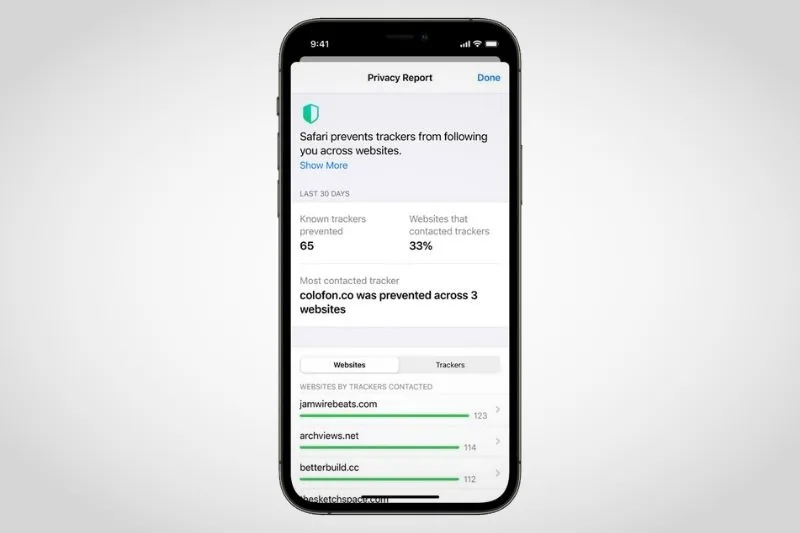
The App Privacy Recording feature allows users to view how often apps access their permission-requiring information such as location, camera, photos, contacts, and microphone over the last seven days.
Users can also see which apps communicate with other domains and when last these apps were in contact with these domains.
Users can access the App Privacy Report feature by going to Settings, Privacy, and selecting App Privacy Report.
Apple included several other changes with the iOS 15.2 update, including Siri-only Apple Music support, Legacy Contacts, and improvements to the Emergency SOS feature.
The Cupertino-based company launched its Siri-only Apple Music plan in October 2021, and Apple has now added support for the feature to the latest version of iOS.
The new plan offers access to all songs, playlists, and stations in Apple Music through Siri at the cost of $4.99 (R80) per month.
The Siri-only plan is not yet available in South Africa.
The Emergency SOS feature allows users to call emergency responders through a combination of button presses.
Users can rapidly press the side button multiple times to initiate contact or hold down the side button and volume buttons together if preferred.
Previously, users could only use the feature by rapidly pressing the side button.
The Legacy Contacts feature allows iPhone users to designate a trusted contact to access their data and Apple ID in the event of death.
Your designated legacy contact will be able to access photos, messages, notes, files, contacts, calendar events, apps, device backups, and so on.
To set a Legacy Contact, go to Settings, Password & Security, and select Legacy Contact. You will then be able to choose a contact.
Legacy Contacts can be iOS or Android users, and you can print out your unique access key or share it through Messages.
Main Image: iLounge